
HOW IT WORKS
Here is how you can keep your pen and ink records.Here is how you can keep your pen and ink records.
Pen Atelier Fountain keeps each pen's photos and specifications together with the ink inside it, how it writes, and how you found it. This page walks through what you can do, screen by screen.
Screenshots on this page show the Japanese interface. Pen Atelier Fountain is also available in English.
01 / ADD
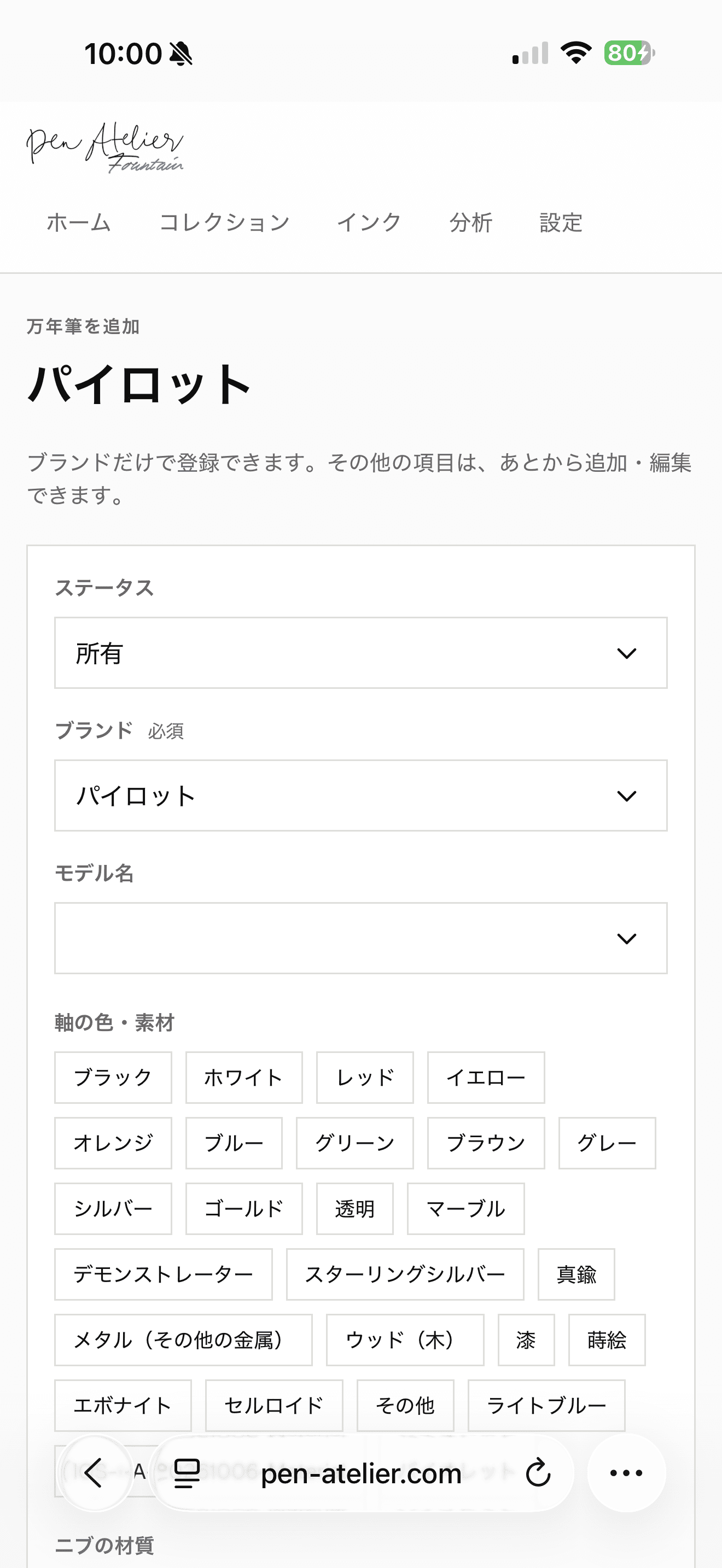
Add a pen with its photos.
Choose a brand and you can save the pen right away. Models and inks come with suggestions, so you do not need to remember exact names. Anything not listed can be typed in.
Body colors and materials, nib material, and nib size are on the same screen. Filling them in also feeds your insights and share images. Each pen can keep up to three photos.
- Only the brand is required
- Pick models and inks from suggestions
- Up to three photos per pen
02 / BROWSE
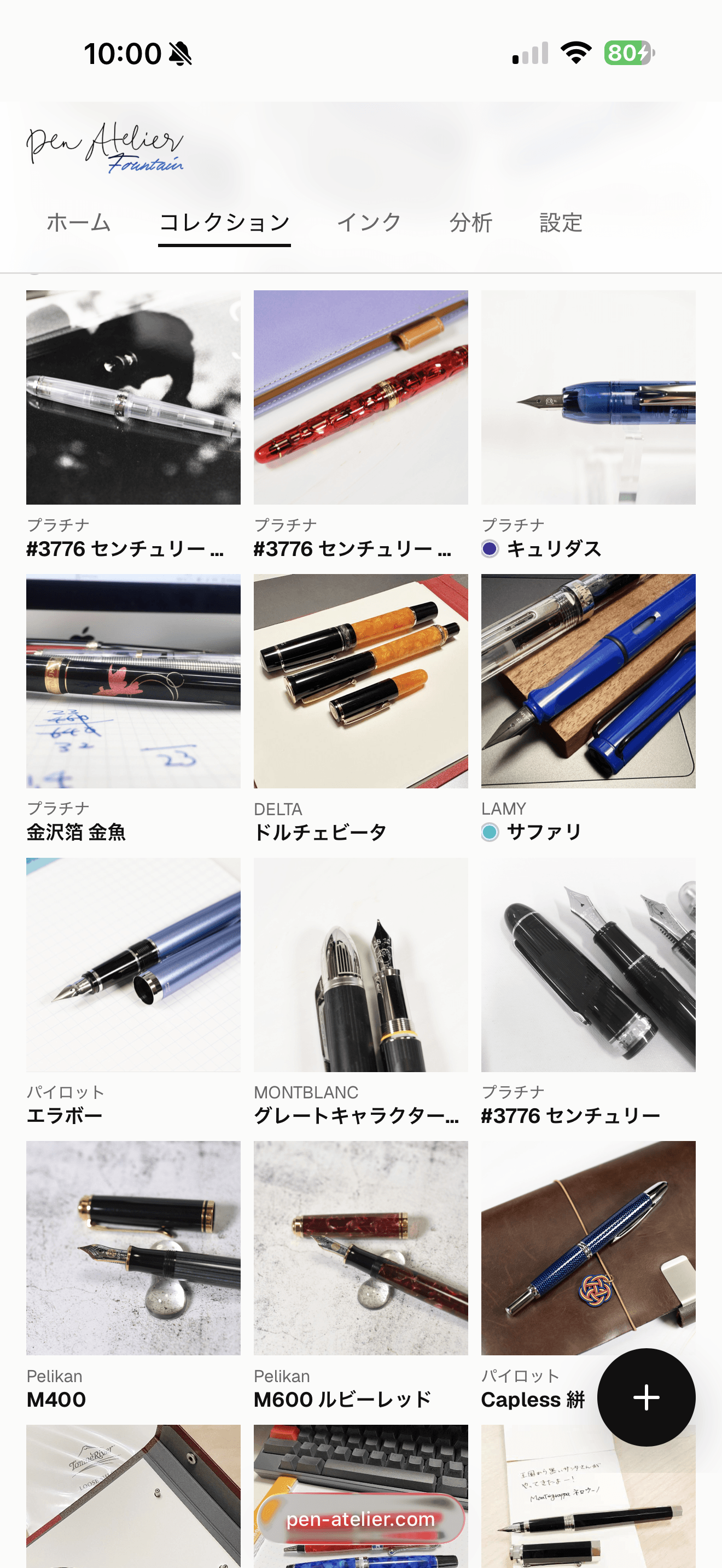
Browse your collection through its photos.
The collection view lets each pen lead with its photo. In the gallery, you can drag pens into your own order.
When you want to compare specifications, switch to the table view.
- A photo-first gallery
- Drag pens into your own order
- Switch to a table view
03 / DETAIL
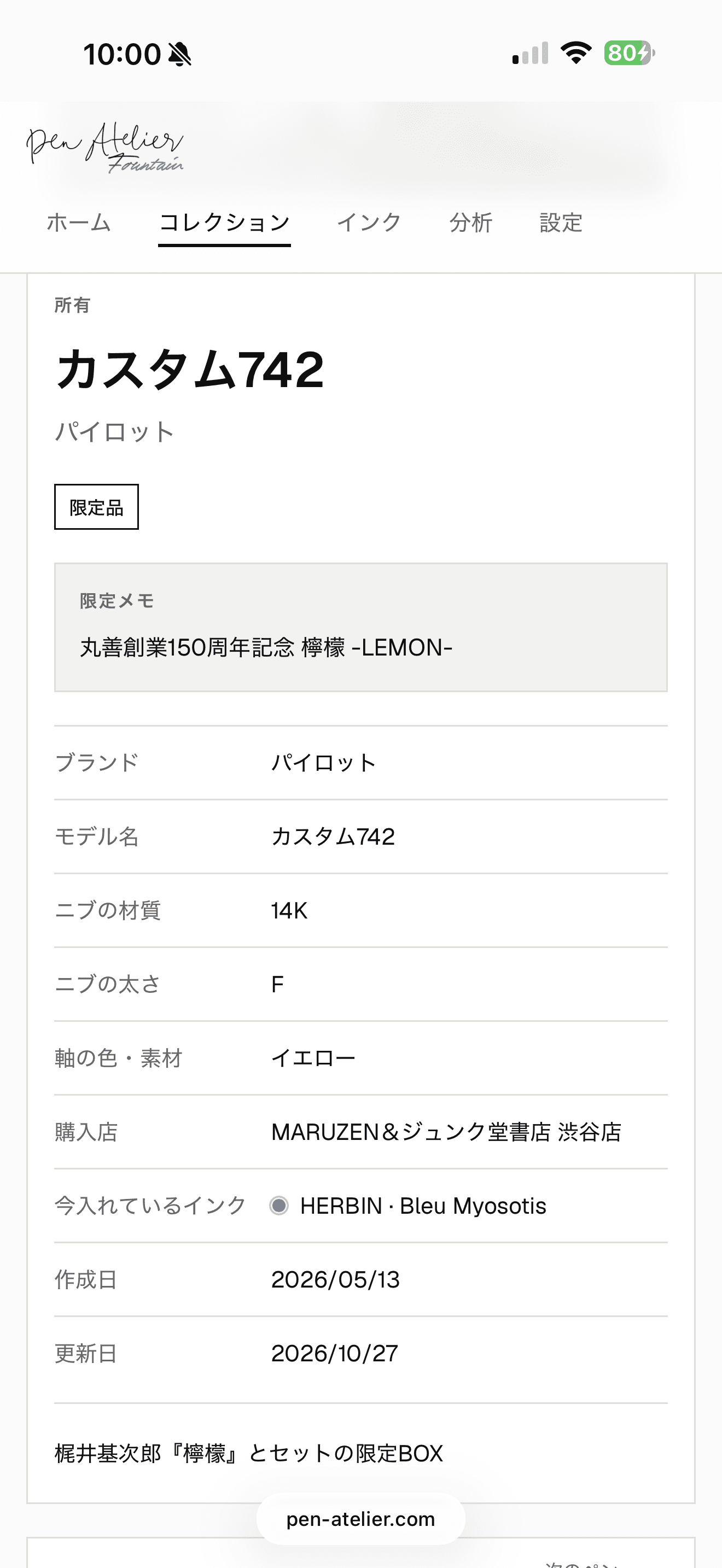
Keep the details of every pen.
For each pen, keep its writing feel, date acquired, shop, tags, and free-form notes. Limited editions get a note of their own.
Custom model and ink names can be renamed later from the edit screen or Settings, and every record that uses the same name is updated together.
- Writing feel, date acquired, shop, tags, and notes
- Limited editions with their own note
- Rename your custom names later, all at once
04 / FIND
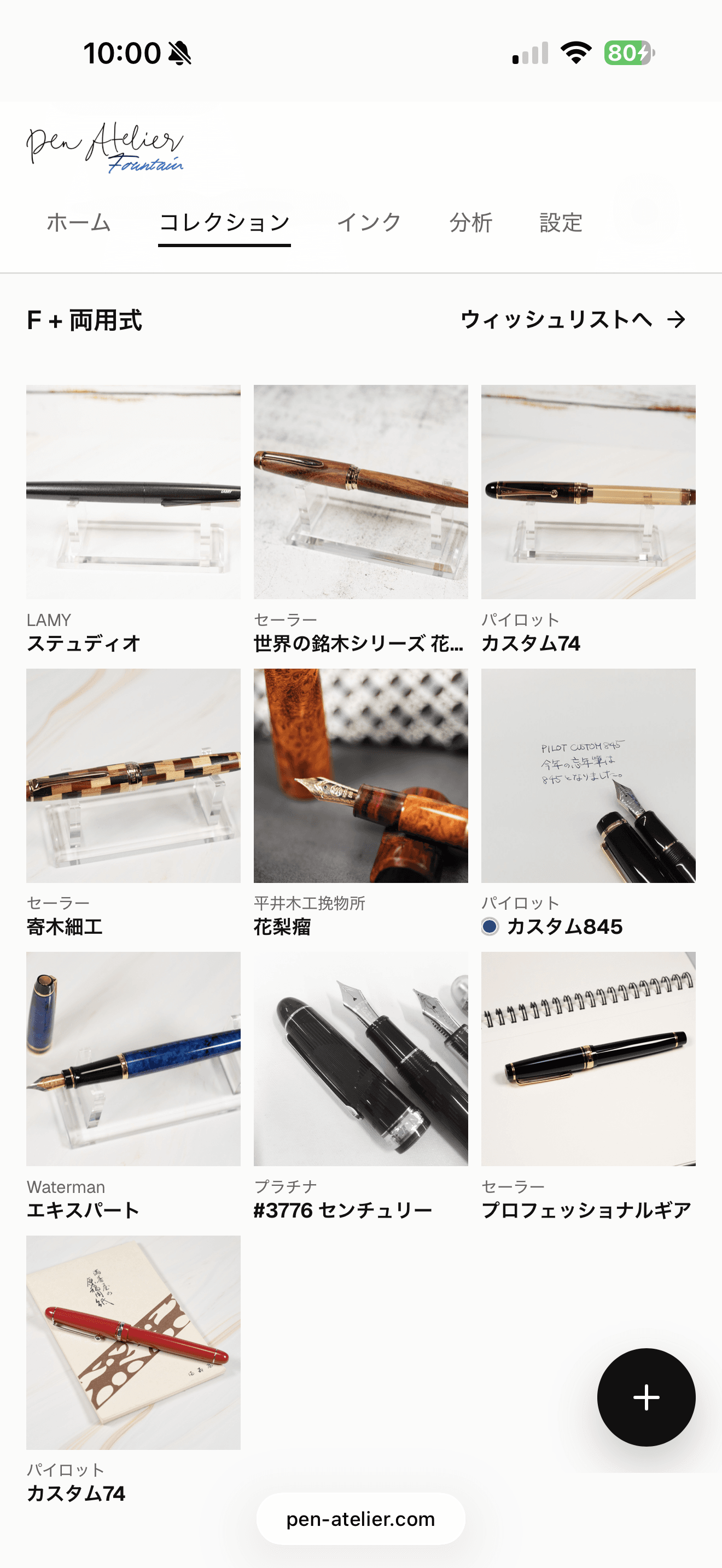
Find the right pen, even as the collection grows.
Even when you cannot recall a pen's name, find it by brand, nib size, filling system, writing feel, or tags. You can also show only limited editions or only pens with ink.
Sort by date updated, brand, model, nib, body color, date acquired, date inked, and more. Your last sort order is kept for next time.
- Keyword search
- Filter by brand, nib size, filling system, writing feel, and tags
- Show only limited editions or inked pens
05 / INK
Record the ink in each pen.
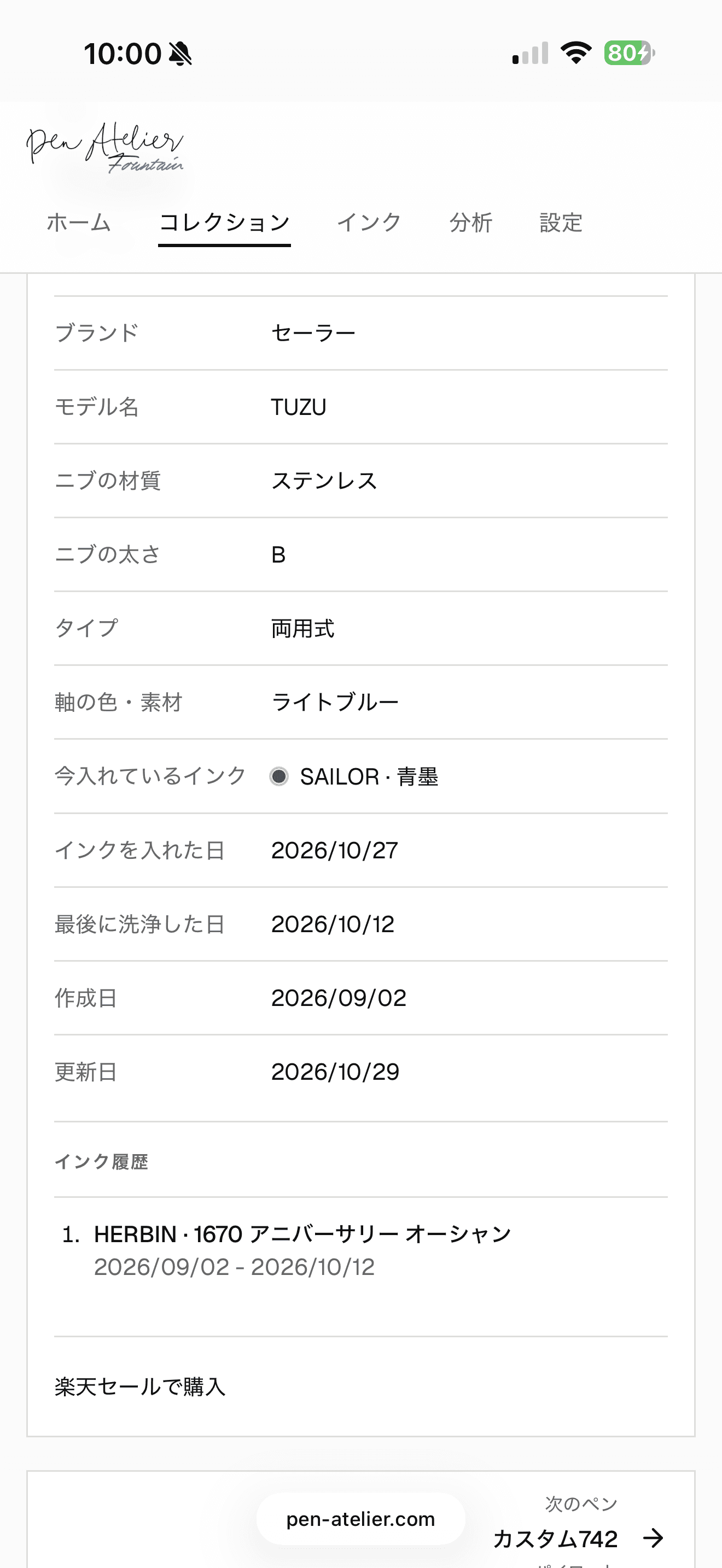
With Free, record which ink is in which pen, along with its color and the date you inked it. Popular inks are available as suggestions, and you can adjust the color to match how it looks to you.
When you clean a pen, its ink moves to the history with the date, and those dates can be corrected later. Pens that have been inked for a long time are flagged for cleaning on the Insights page.
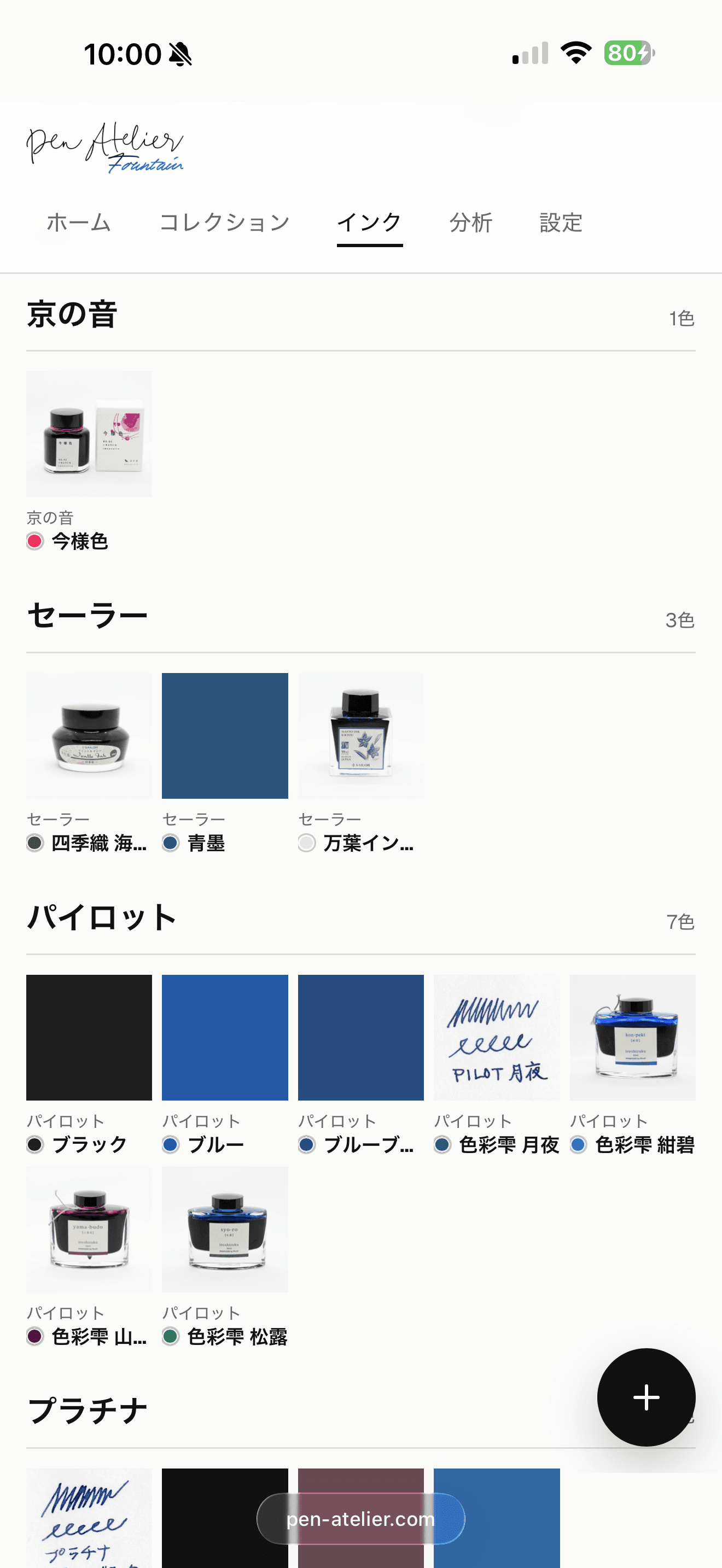
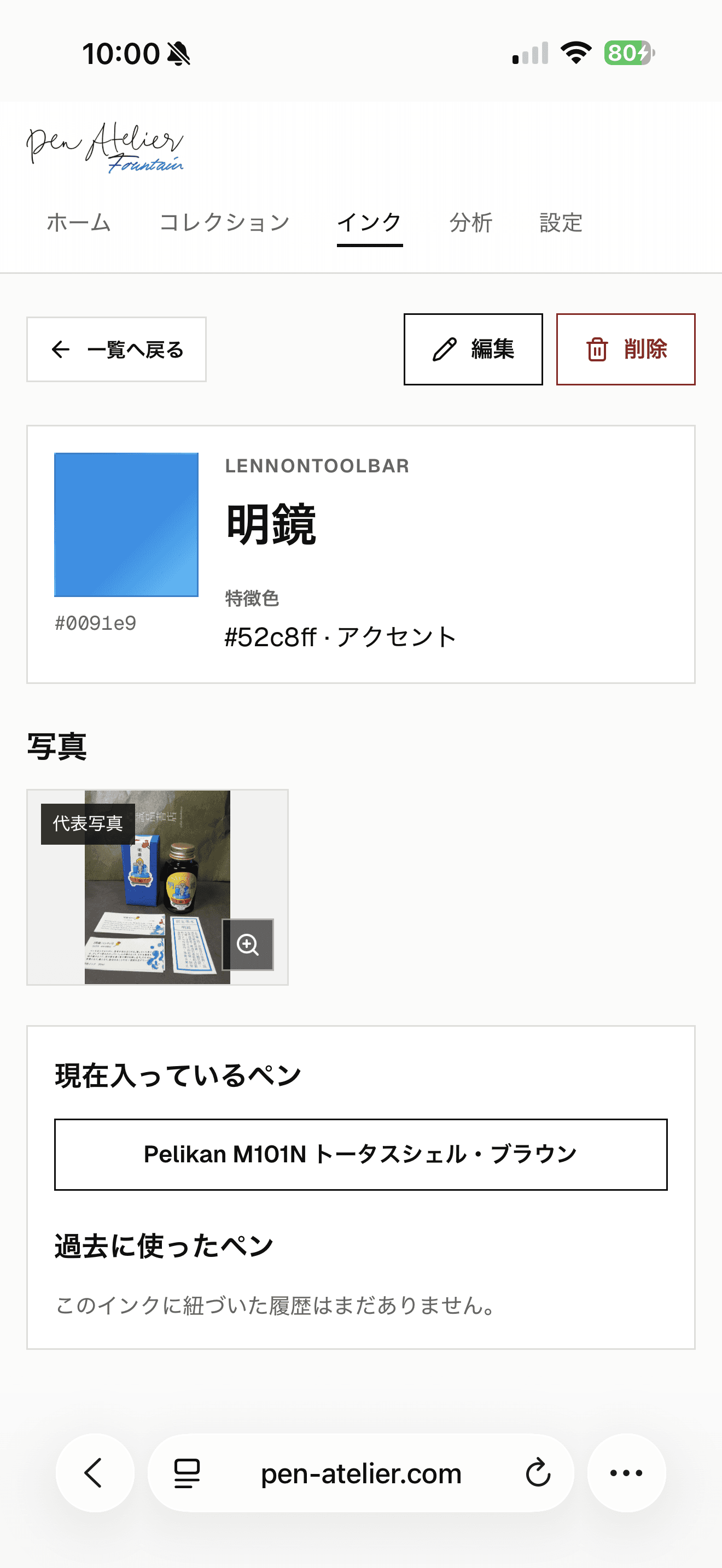
With Pro, manage the inks you own as a collection of their own. Keep photos, colors, bottles or cartridges, and properties such as iron-gall or shimmer, and browse them by brand. You can also see which pens use an ink now and which used it before.
Browse ink suggestions and properties- Free | The current ink, its color, and the date inked
- Free | Cleaning moves it to the history (dates can be edited)
- Pro | Browse the inks you own by brand
06 / REVIEW
See your tastes in your records.
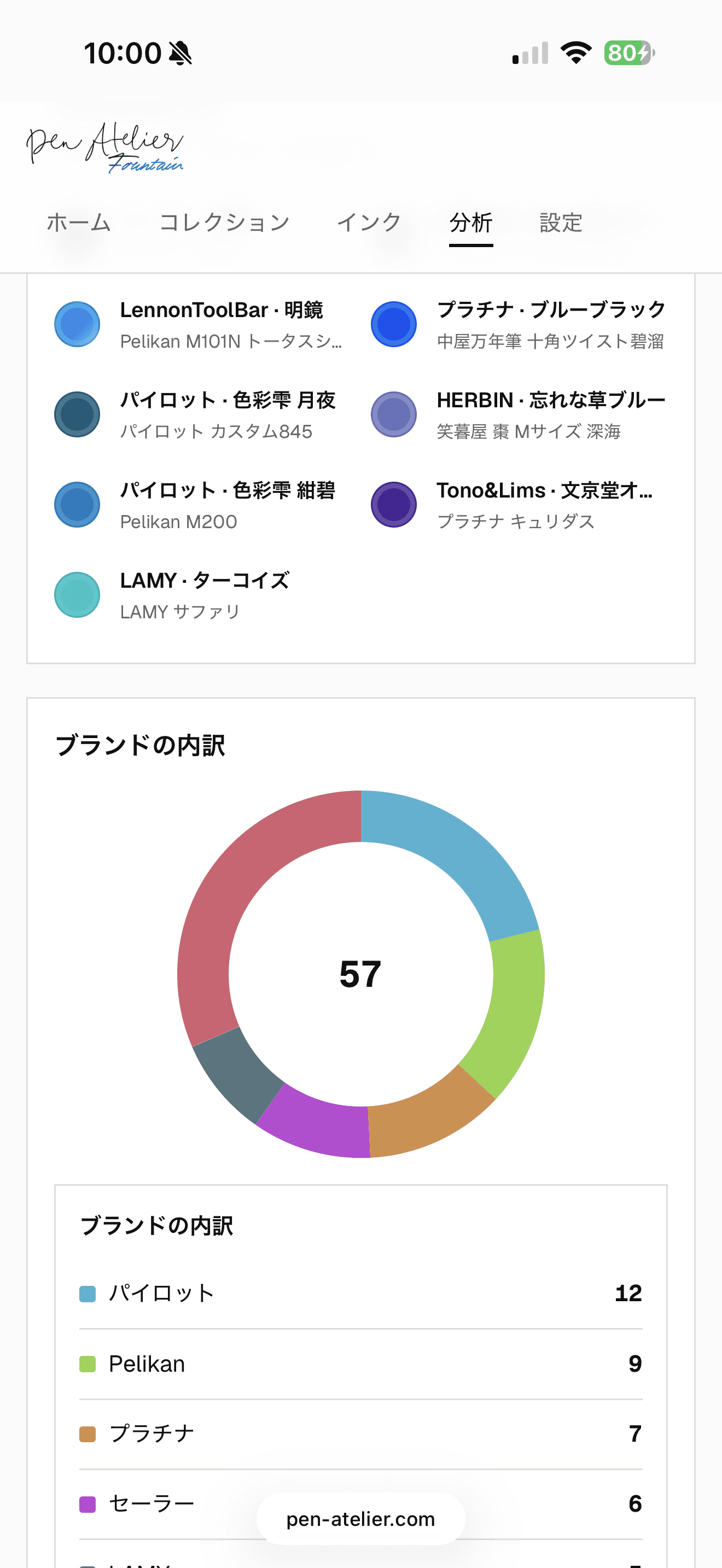
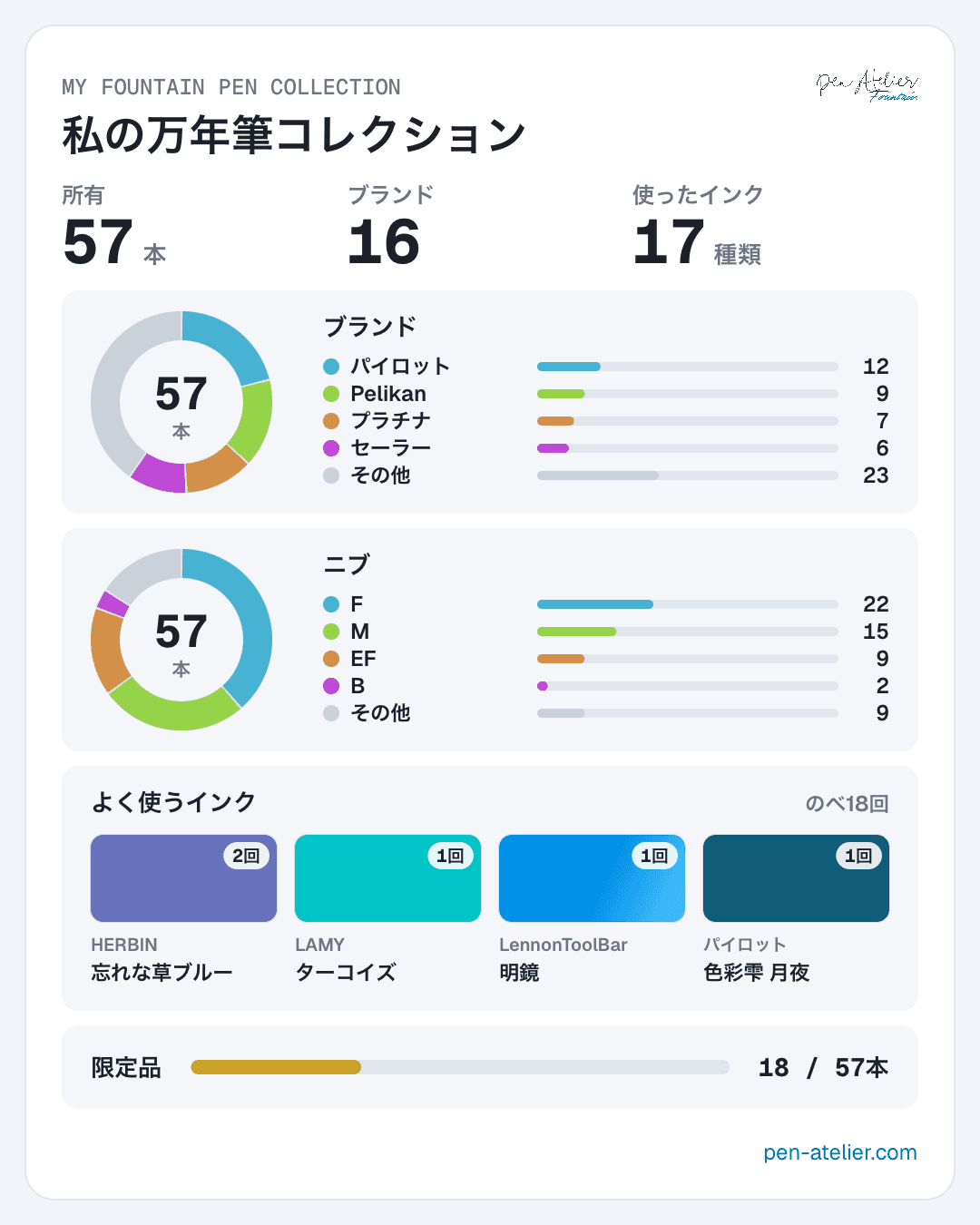
The Insights page charts your brands, nib materials and sizes, filling systems, and share of limited editions.
An ink palette shows the colors currently in your pens, alongside the inks you have used most and a mosaic of body colors and materials, one tile per pen. Preferences you had not noticed start to show.
- Brand and nib breakdowns
- An ink palette and your most-used inks
- Body colors and materials, filling systems, and limited editions
07 / SHARE
Turn it into an image and share it.
Use “Share as image” on the Insights page or a pen's page to create a portrait image ready for social media. The insights summary does not include photos or pen names.
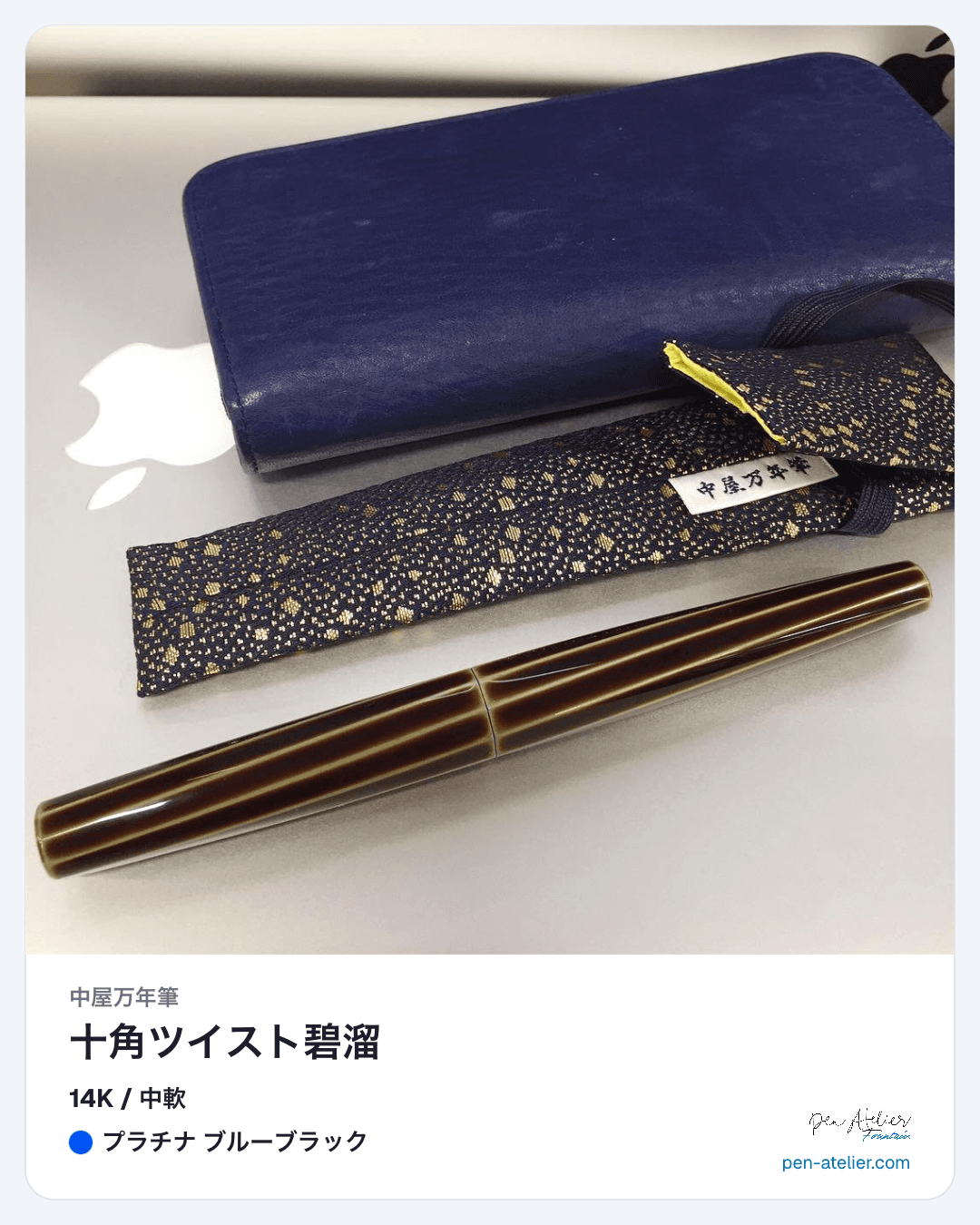
For a pen's image, choose whether the photo fills the frame or shows in full. On a phone, share straight from the share menu, or save the image to use on a blog or anywhere else.
- Your insights summary as one image
- A pen's details with its photo
- Share directly or save the image
08 / WISHLIST
Keep track of the next pen too.Keep track of the next pen too.
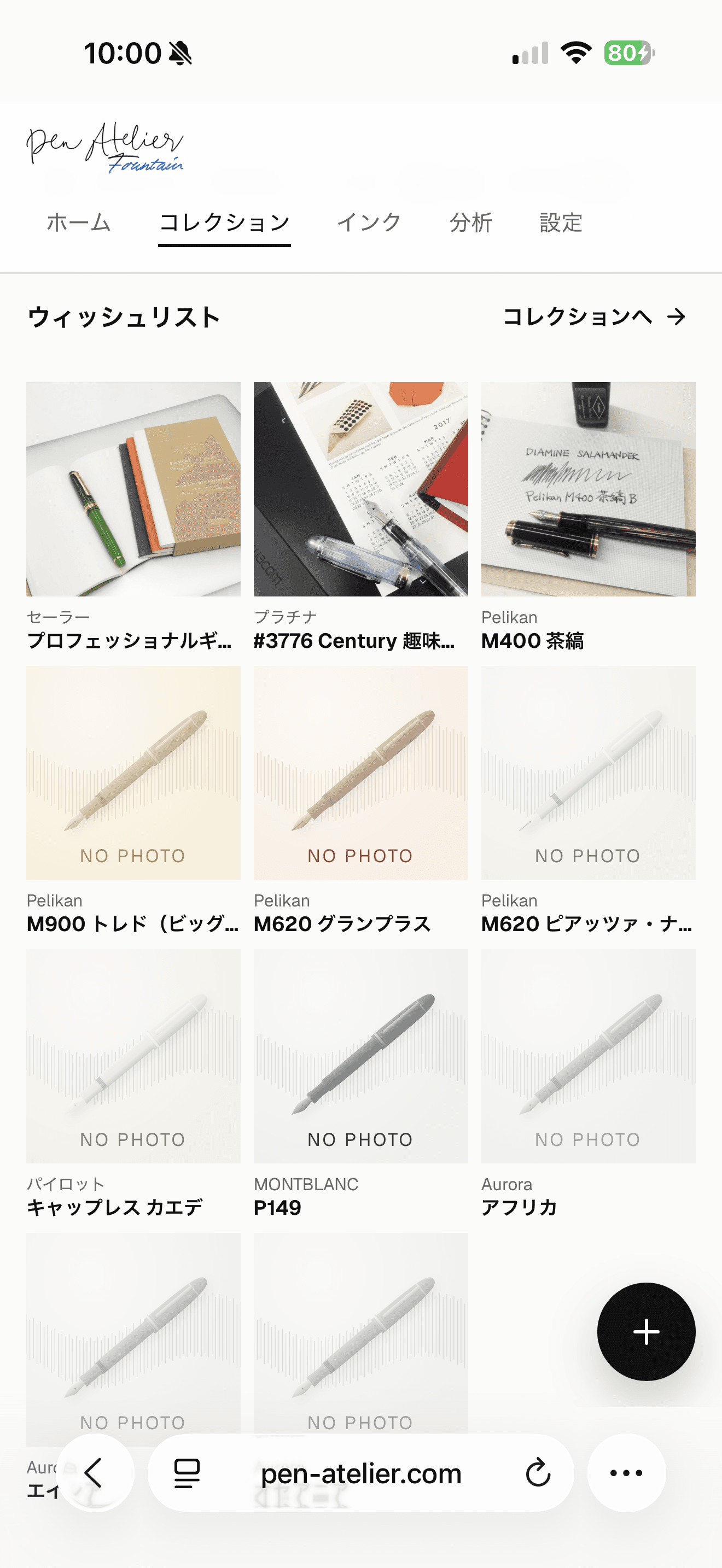
Pens you do not own yet go on a wishlist, separate from your collection. Keep a priority, a reference URL, and a budget note for each one.
Once a pen arrives, move it to your collection with one tap.
- Note the pens you are curious about
- Priority, reference URL, and budget note
- Move it to your collection once it arrives
BEFORE YOU START
Try it without signing in
Your first records stay in the browser you are using, so you can try the app before creating an account.
Sign in with Google to use any device
After signing in, records are saved to the cloud, so the same collection is on your phone and your computer.
Free covers the essentials
Free includes up to 10 collection pens and 3 wishlist pens, plus photos, ink records and history, cleaning reminders, search, insights, and share images.
START YOUR ATELIER
Start with your first pen.Start with your first pen.
You can start without signing in. Add one pen from your desk, then see its photos and records come together.